
Appearance
Command Palette
The VSCode-style command palette for running an action. Counterpart to Open Quickly, which is for jumping to a thing.
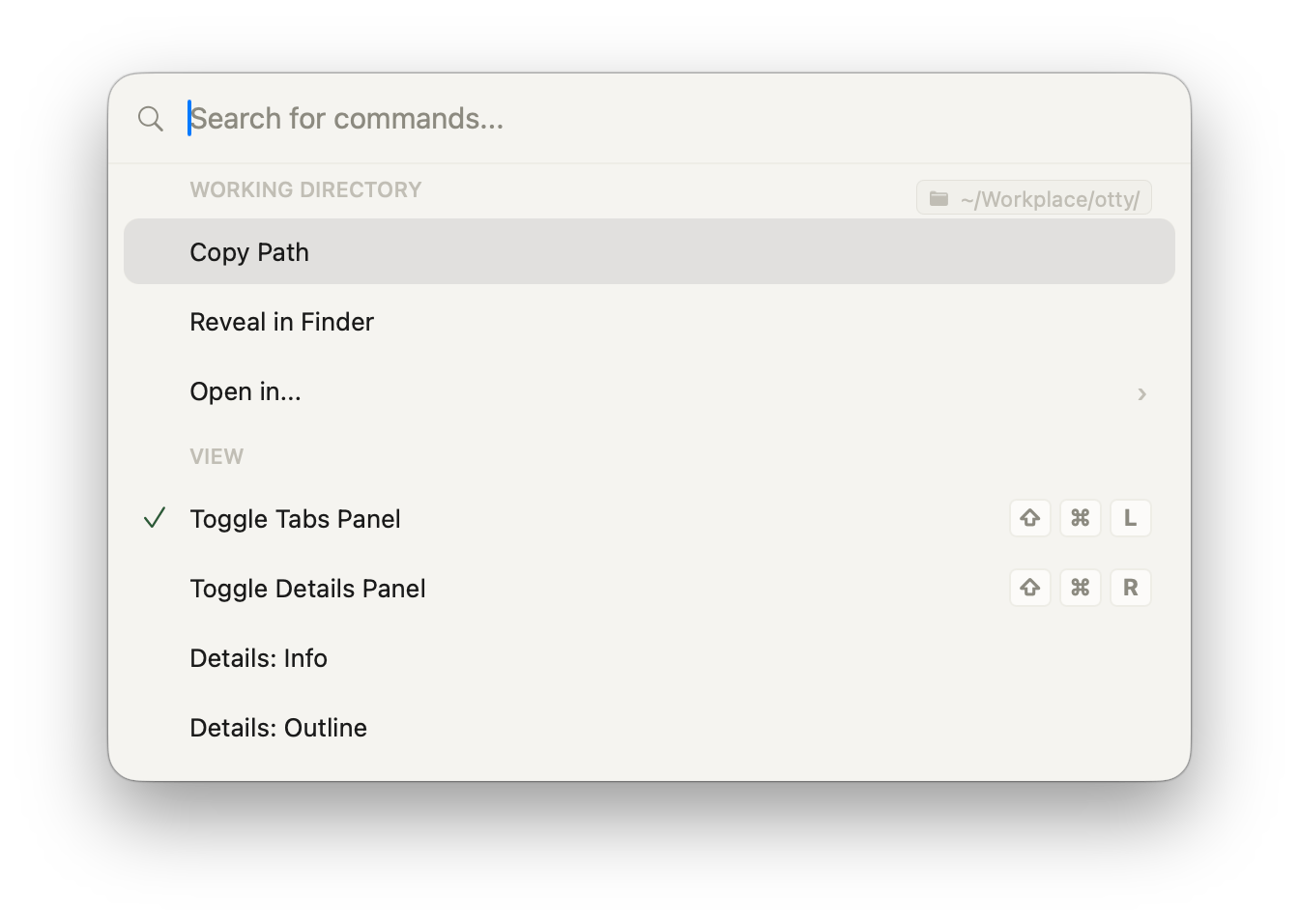
Open it
⌘⇧P from anywhere.
What's in it
Every Otty action — including ones without keyboard shortcuts — is searchable here. Examples:
- Window: New Tab, Close Tab, Reopen Closed Tab, Move Tab to New Window
- Pane: Open Folder Pane, Split View..., Split Right, Swap Panes
- Theme: Switch Theme, Reload Theme, Open Theme File
- Recipes: Save Recipe, Export Recipe, Open Recipe
- Shell: Send to All Panes, Send Bell, Toggle Mouse Reporting
- Settings: Open Settings, Reload Config
- Terminal: About This Line..., Ports..., Clear Screen, Reset Terminal
Ports and line info
Two entries expand into a list built from what is happening right now:
- Ports... — listening ports, ordered by port number and labelled with their process and terminal (or Other). Discovery does not connect to the services. Choosing Open in Browser opens
http://localhost:<port>; use it for web servers. The same list as Shell → Ports. - About This Line... — the command that printed the line the caret (or the selection) is on, when it ran, the pane id, and a deeplink back to it. See About This Line.
Split and agent pickers
On macOS, Split View... opens a palette containing only the four split directions. Fork... and Branch... open the same agent session picker, with four split directions, New Tab, and New Window. The picker uses the focused agent's terminology: Branch for Claude and Fork for other supported agents. A focused session that supports forking is required.
Assign shortcuts in Settings → Key Bindings: search for split, fork, or branch. These picker entries are unbound by default. The six agent destinations can also be bound individually under Code Agents.
Pane vs window scope
Some actions target the focused pane (e.g. Find, Toggle Bold Brightens), others target the window (Close Window) or the app (About Otty). The palette tags each action with its scope.
Differences from Open Quickly
| Surface | Purpose | Trigger |
|---|---|---|
| Open Quickly | Jump to a tab, recent item, file, or shell command | ⌘⇧O |
| Command Palette | Run an action | ⌘⇧P |
If you're not sure which you want — Open Quickly searches across "things", Command Palette across "verbs".
Keyboard
| Key | Action |
|---|---|
↑ / ↓ | Move selection |
↩ | Run |
⌘↩ | Run, keep palette open (chain multiple) |
Esc | Close |
Custom commands
To save and replay your own sequences of commands, capture them as a recipe — see Recipes.
See also
- Open Quickly
- Keybindings — bind a shortcut to any palette action.