
Appearance
Agent History
Every agent conversation is captured and searchable. Resume a thread days later, or fork a new task off an old context.
Agent History Viewer
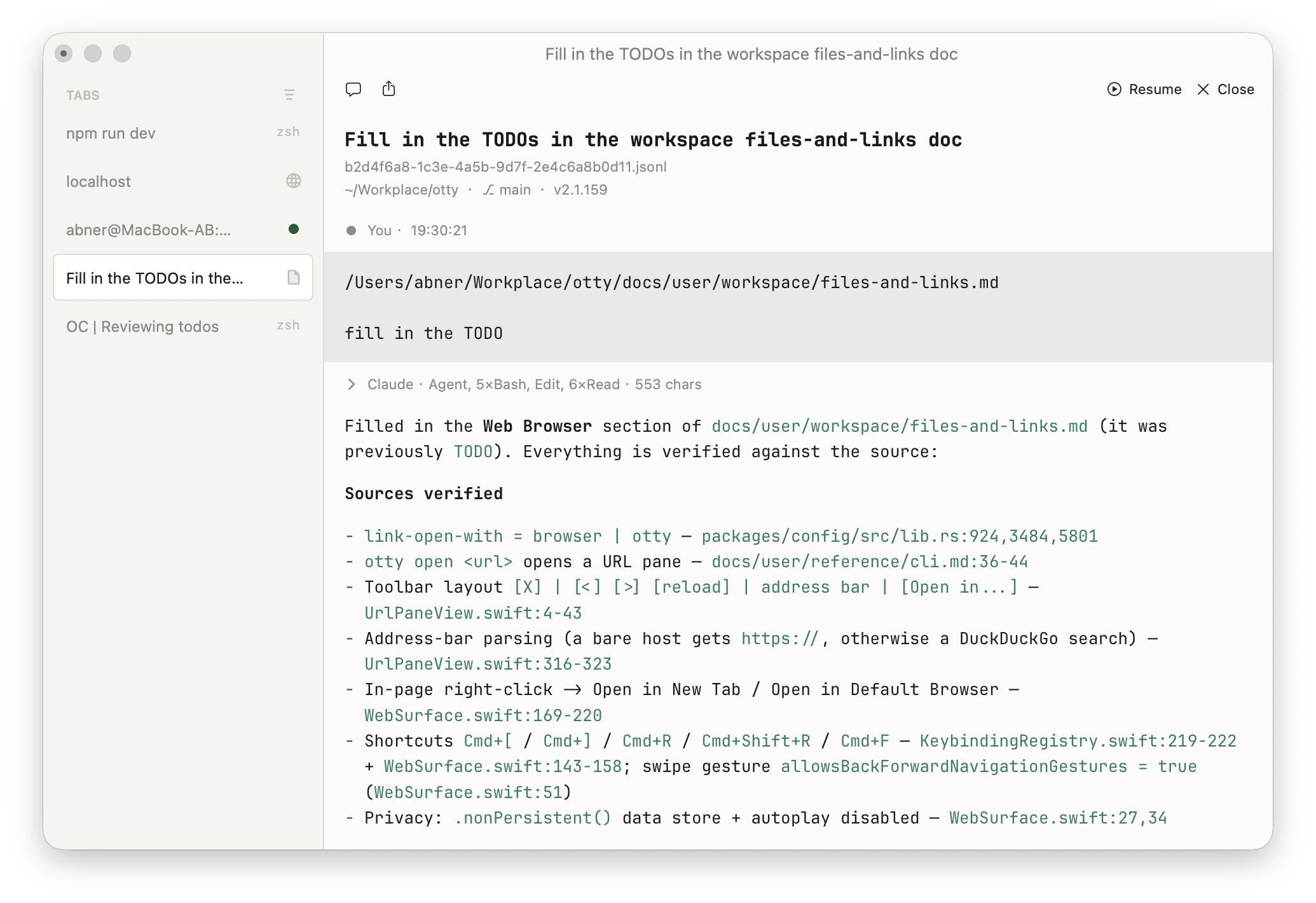
Coding-agent session logs render as a readable transcript instead of raw JSON. Otty recognizes these agents by their session paths:
| Agent | Session files |
|---|---|
| Claude Code | ~/.claude/projects/<project>/*.jsonl |
| Codex | ~/.codex/sessions/YYYY/MM/DD/*.jsonl |
| OpenCode | ~/.local/share/opencode/storage/session/<project>/*.json |
| Cursor CLI | ~/.cursor/projects/<project>/agent-transcripts/<chat>/<chat>.jsonl |
| Kimi Code | ~/.kimi-code/sessions/wd_<project>/session_<id>/agents/<name>/wire.jsonl |
| Pi / omp | ~/.pi/agent/sessions/<project>/*.jsonl (omp: ~/.omp/...) |
Open History View
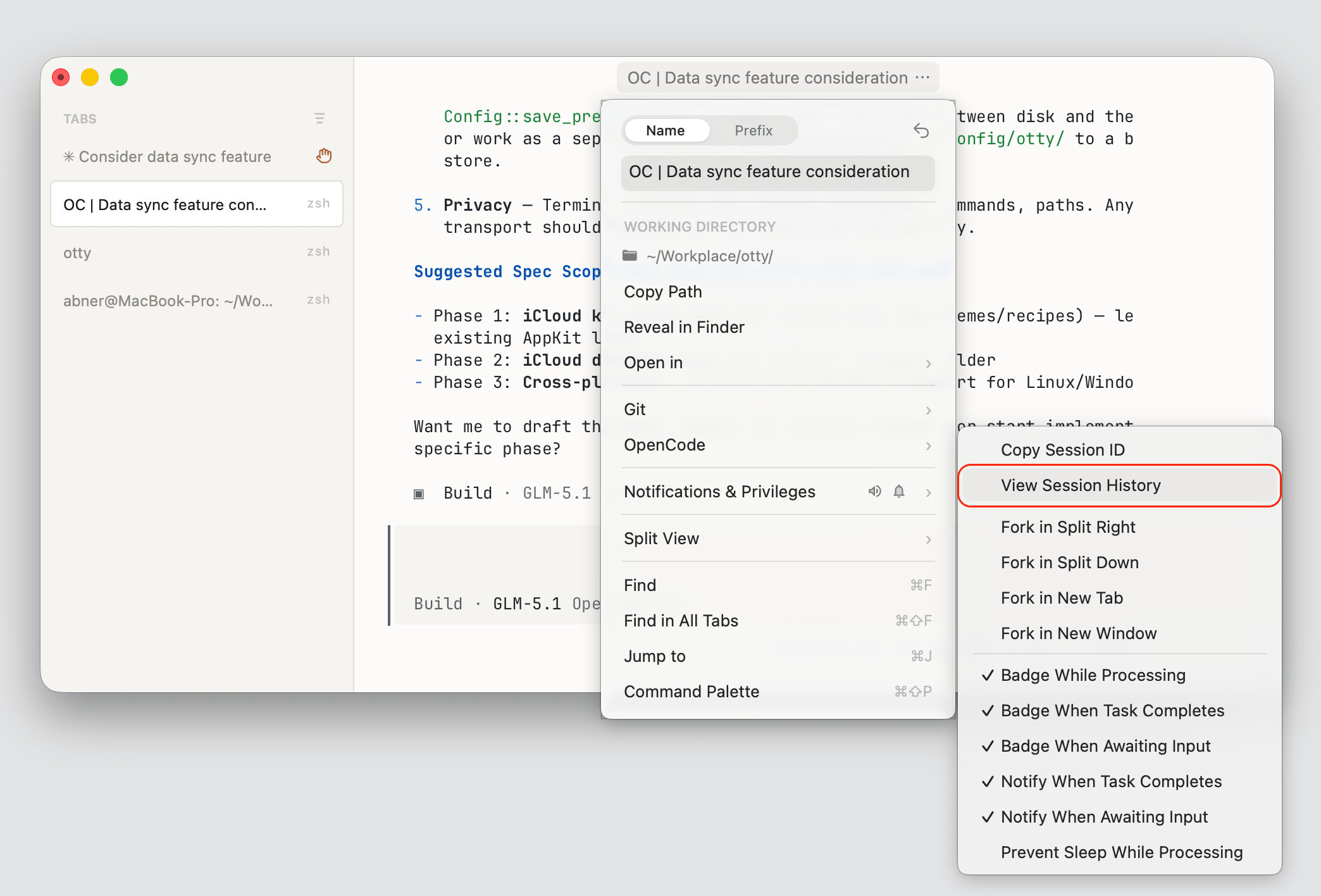
You can open code agent history from the Command Palette, or from the titlebar dropdown menu:
Actions
- You can select content and Copy or Send to Chat from the context menu.
- A Resume button in the toolbar continues that session: it jumps to the live tab if it's still running, otherwise spawns a fresh one with the agent's
--resume. - Toggle the view with right-click → View as → <Agent> History ⇄ JSONL (Syntax Highlight) to drop back to the raw log.
- Scroll from the keyboard like any document window:
Page Up/Page Down,Home/Endto jump to the top or bottom, arrow keys to nudge a line, andSpace/Shift-Spaceto page through.
Only session files under a known agent's directory auto-open as a transcript; any other .jsonl stays plain text.
Quickly resuming a session
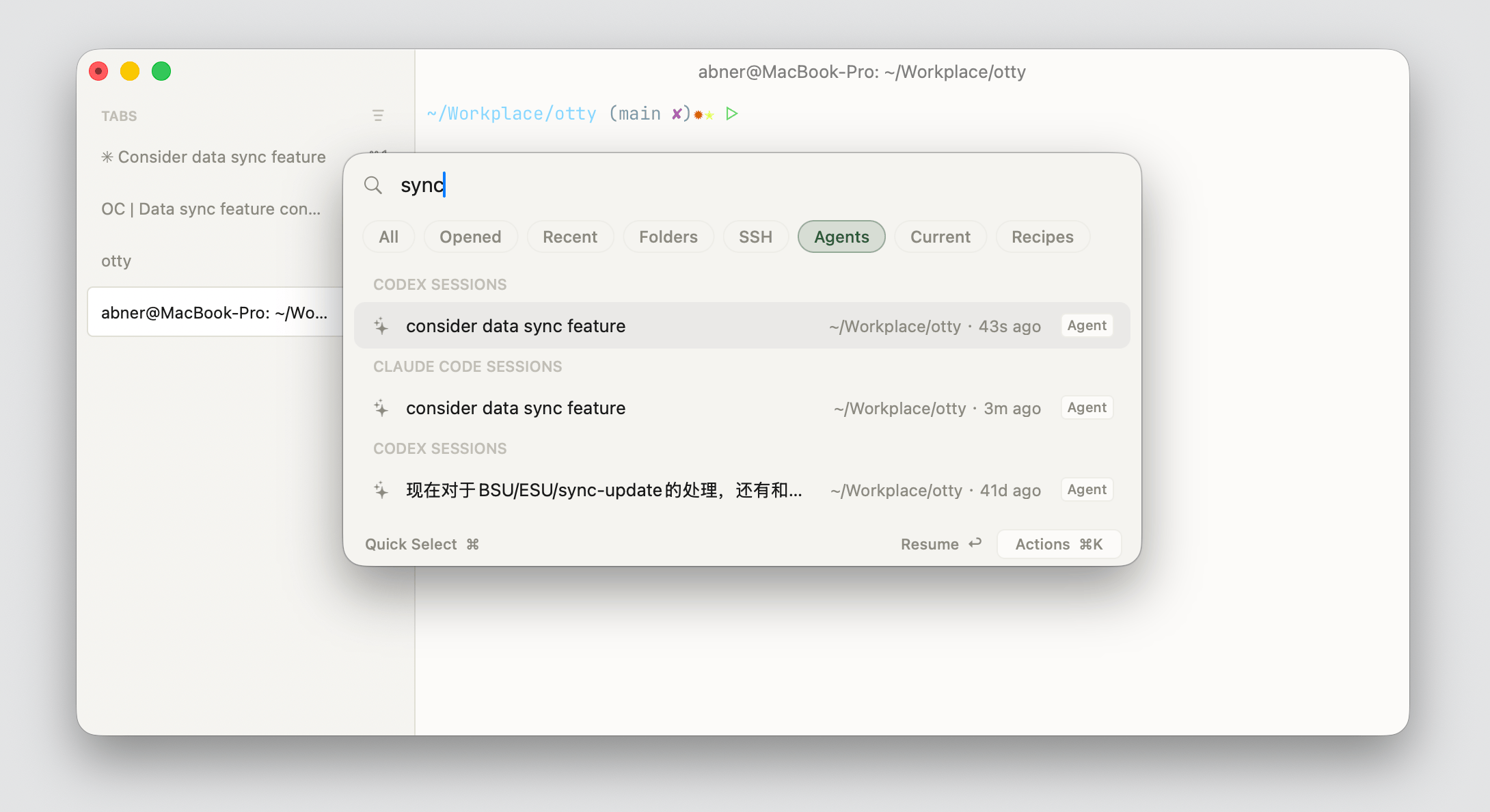
Open the Open Quickly panel with ⌘⇧O, switch to the Agents filter (⌘G), then type to search sessions across all supported code agents. Press ↩ to resume the highlighted one, or ⌘K for more actions — including Branch / Fork in New Tab and View Session History.
The resumed session keeps the original provider, model, and system prompt — only the conversation continues.
See also
- Setup — install the integration that captures sessions.
- Composer — how new messages get into history.
- Fork / Branch Session — branch a new task off an old context.