
Appearance
Keybindings
You can rebind almost anything from the GUI, or edit config.toml directly. The two stay in sync — GUI changes are written back to your config file.
View and Change Shortcut Keys
Settings → Key Bindings lists every bindable action, grouped by category (General, Tabs, Pane, …). The chips on the right show each action's current chord; a dash (—) means it's unbound.
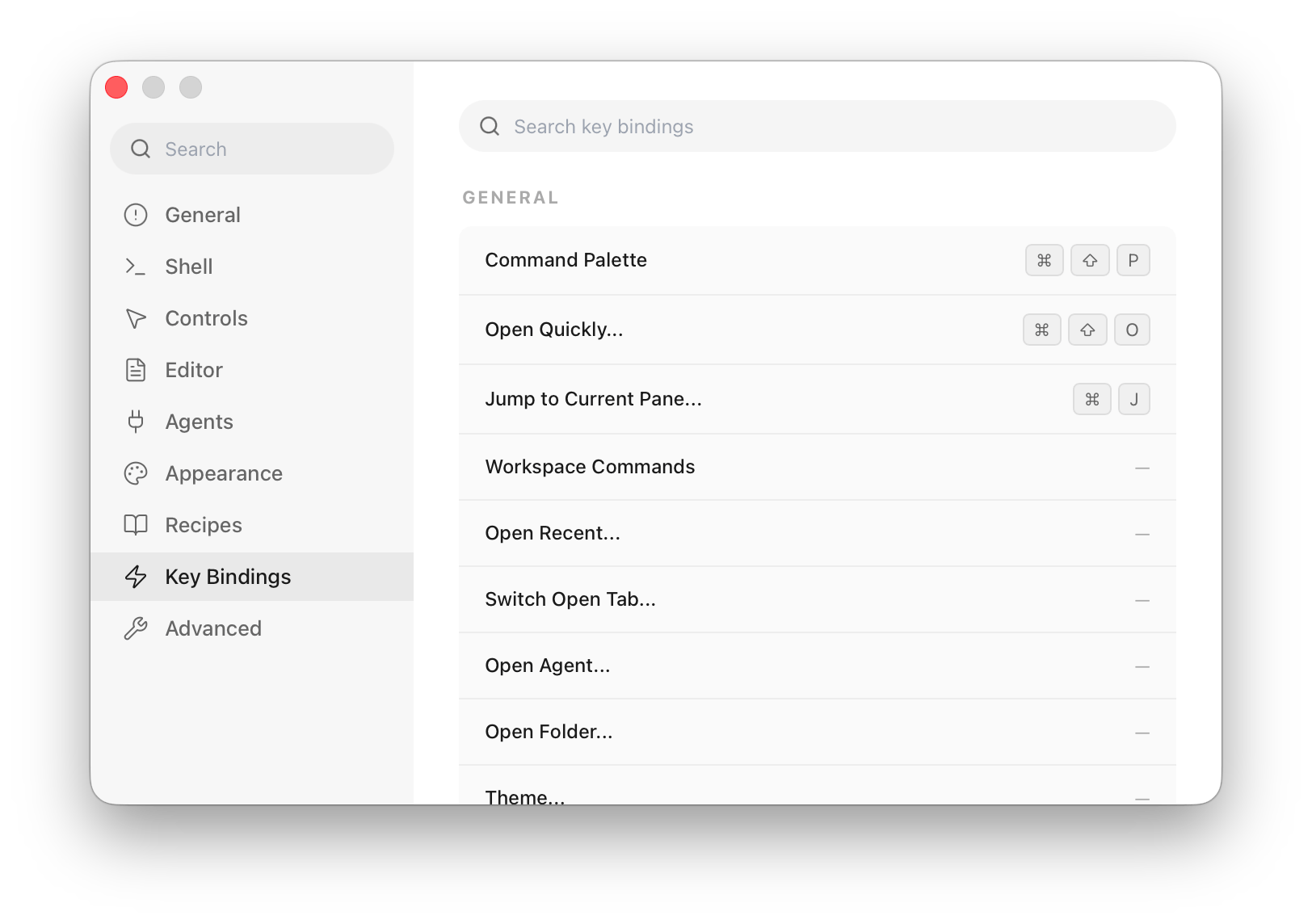
- Search — the box at the top filters the whole list by action name or by chord (type
cmd+tto find what's on that combo). - Search by shortcut — click the keyboard button at the right end of the search box. The box changes to Press a shortcut to search…; press a chord and the list narrows to everything bound to it. Press another chord to search again, Backspace to clear it, or Esc (or the keyboard button) to go back to searching by name.
- Rebind — click a row (it highlights and shows Press a key combination…), then press the new chord. The chips update immediately.
- Conflicts — if the chord is already taken, a Conflicts with: … note appears under the row so you can pick something else or overwrite it.
- Unbind — click the row and press Backspace to clear it. Press Esc to cancel without changing anything.
On Linux the in-app list is read-only for now: search works the same way, but to rebind a command add a keybind = <trigger>=<action> line to config.toml. The global hotkeys below can be recorded on every platform.
Global Hotkey
Otty can register system-wide shortcuts that work even while another app is active — on macOS, on Windows, and on Linux in an X11 session. There are two; set either or both:
- Show Otty — brings Otty to the front. If no Otty window is open, it opens one. Pressing it while Otty is already in front does nothing.
- Show / Hide Otty — does the same when Otty is in the background, but when Otty is already in front it hides Otty (on Windows and Linux: minimizes its windows) and returns you to the app you were using. Press it again to bring Otty back.
Set them in Settings → Key Bindings → Global Hotkey:
- Click Show Otty or Show / Hide Otty.
- Press the shortcut you want to use, such as
⌘⇧Space. - Leave it as
—if you do not want that hotkey. To clear one, click it and press Backspace.
Use a shortcut with at least one modifier (⌘, ⌥, ⌃, or ⇧ on macOS; Ctrl, Alt, or Shift on Windows and Linux), and give the two hotkeys different shortcuts. Your system may reserve some shortcuts, so if a chord does not record or does not fire, choose another one that is not already used by the system (Mission Control, Spotlight, the Windows shell), your window manager, or another app.
On Linux, global hotkeys need an X11 session; they are not available under Wayland.
These hotkeys are different from normal keybindings: they are handled by macOS before Otty is focused, so it does not send input to the terminal and it does not depend on which tab or pane was active last.
Custom Text / Sequence
The Text / Sequence section binds a chord to send literal bytes to the focused terminal — useful for emitting an escape sequence a program expects, or for typing a snippet of text.
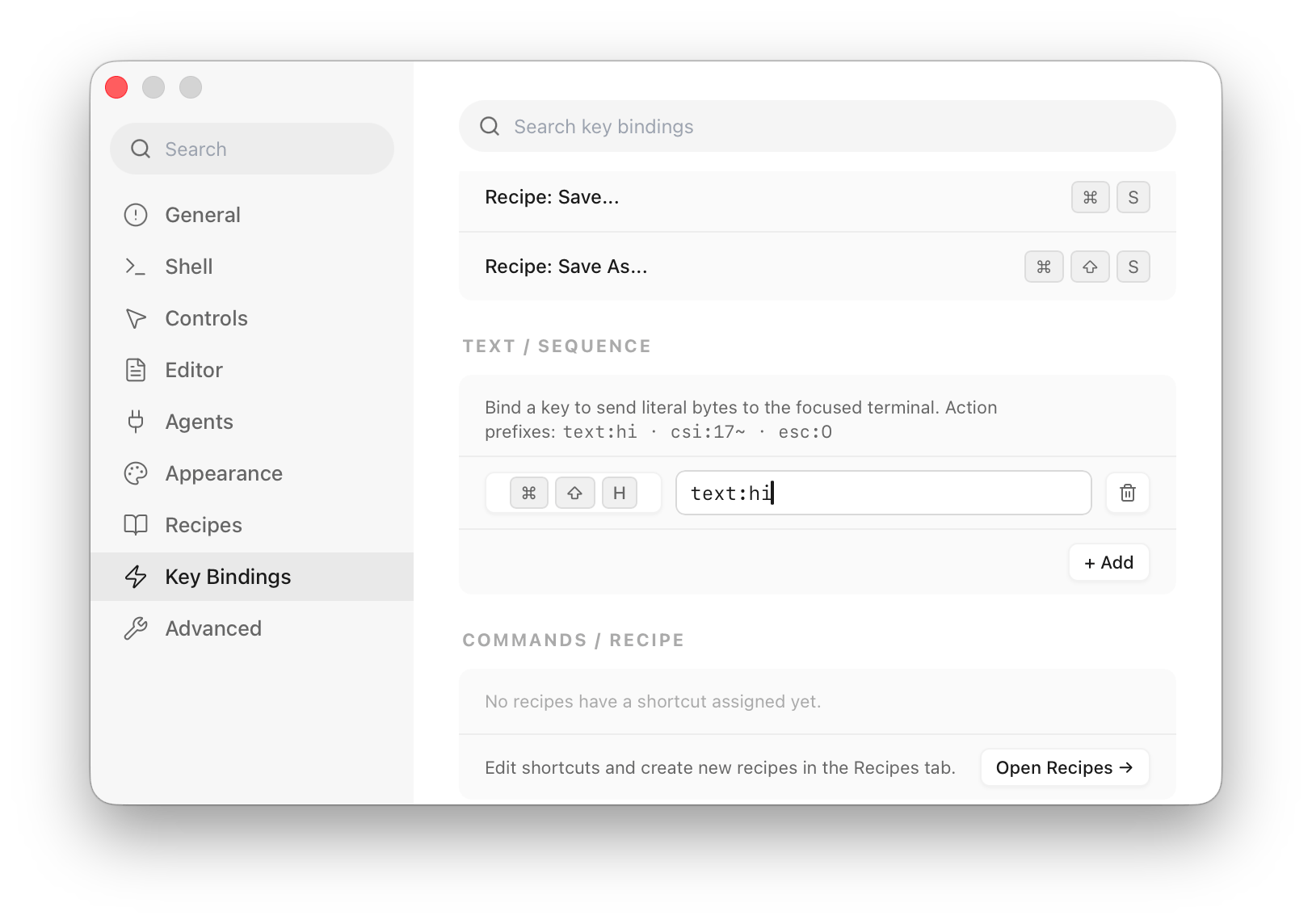
Each binding's action is a prefix plus a payload:
| Prefix | Sends | Example | Result |
|---|---|---|---|
text: | the literal string | text:hi | types hi |
csi: | a CSI sequence (ESC [ + payload) | csi:17~ | the F6 key sequence |
esc: | ESC + payload | esc:O | escape followed by O |
To add one: click + Add, click the trigger button to record a chord, type the action (e.g. csi:17~), and it's saved. The trash icon on a row deletes that binding.
Shortcut keys for custom commands and layouts
The Commands / Recipe section mirrors any recipe that has a shortcut assigned. It's read-only here — assign and edit recipe shortcuts in the Recipes tab.
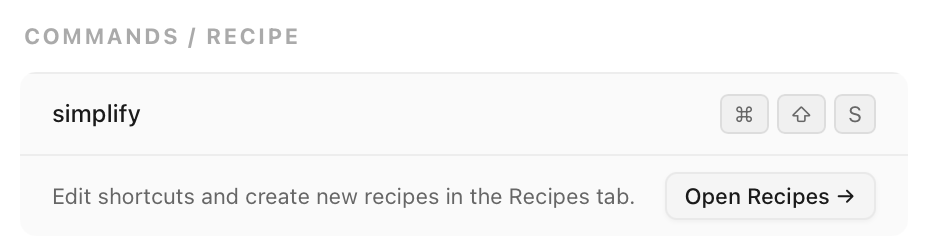
- If nothing is bound yet you'll see No recipes have a shortcut assigned yet.
- Click Open Recipes → to jump to the Recipes tab, where each recipe row has a shortcut button you click and record into.
Keybindings in config file
Customize key bindings in ~/.config/otty/config.toml.
Syntax is
keybind = <trigger>=<action>Repeat the keybind key to add more bindings. Examples:
keybind = cmd+t=new_tab
keybind = cmd+shift+t=reopen_closed_tab
keybind = cmd+1=goto_tab:1
keybind = ctrl+shift+c=copy
# free cmd+d (split right by default)
keybind = cmd+d=unbind
Modifier names: cmd, ctrl, alt (or opt), shift, joined with +. Comments go on their own line — a trailing # … would become part of the action.
Resetting
Once you've changed any binding, a Reset to Default button appears in the top-right of the Key Bindings pane. Click it, confirm Reset all key bindings?, and every customization is cleared at once — there's no per-row revert.
To reset a single binding instead, delete its keybind line from config.toml (or restore the default chord in the GUI).
Full default reference
See Reference → Keybindings for the complete list shipped with Otty.
See also
- Configuration Reference — every other config key.
- Vi Mode — vi-style scrollback navigation.