
Appearance
Advanced / All Settings
The main Settings tabs (General, Shell, Controls, Appearance, Key Bindings) cover the settings most people reach for. Everything else lives in Advanced — including All Settings, a single searchable list of every Otty config key.
Opening Advanced
- Open Settings (
⌘,, or Otty menu → Settings…). - Click the Advanced tab in the sidebar (the wrench icon at the bottom).
The Advanced tab holds three things:
- Config File — the path to your config file, plus Open Config File, Reload Config, and Import / Export buttons.
- Debug — a debug-logging toggle and a shortcut to the log file.
- All Settings — covered below.
All Settings
Scroll down to the All Settings section. This is the complete list of configuration keys Otty understands, including the "expert" ones that have no dedicated control on the other tabs.
Use the Search box at the top right to filter — it matches the key name, label, description, and keywords, so typing cursor, scrollback, or blink narrows the list fast.
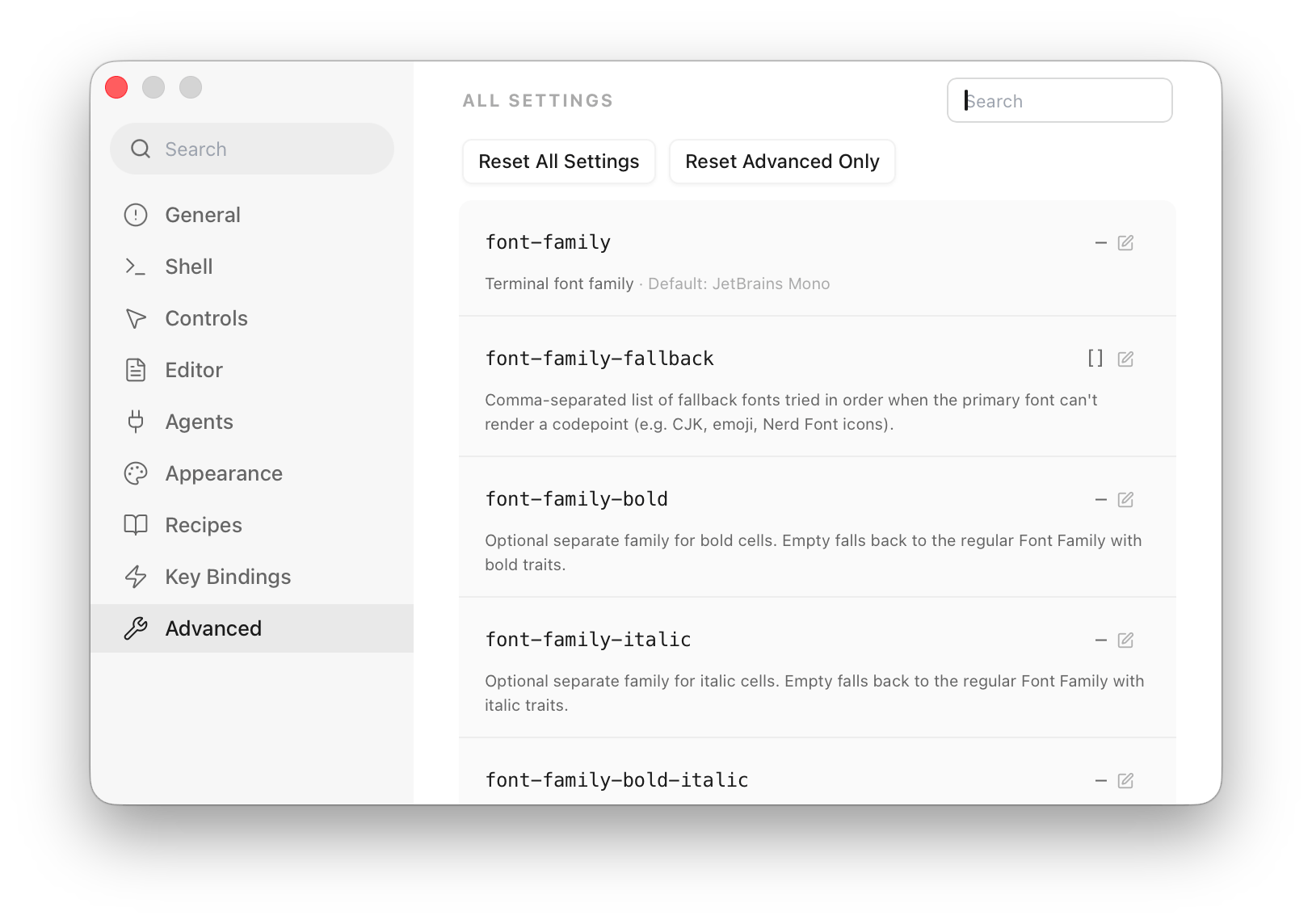
Each row shows the config key (in monospace), a short description, its default value, and a Learn more link into the Configuration Reference. On the right of each row you either:
- Edit the value inline — keys that only exist here get a control right in the row (a toggle, dropdown, color, number, or text field). Changes apply live, exactly as if you'd typed them into the config file.
- Jump to the dedicated control — keys that already have a nicer UI on another tab show a button with their current value and a ✎ icon. Clicking it switches to that tab and highlights the control, so you don't have to hunt for it.
Either way, every edit is written straight to ~/.config/otty/config.toml.
Resetting
Two buttons above the list let you start over:
- Reset All Settings — restores every setting to its default value.
- Reset Advanced Only — restores just the advanced-only keys (the ones not reachable from General, Shell, Appearance, or Key Bindings), leaving your font, theme, and keybinding choices intact.
Both ask for confirmation first, and cannot be undone — if you keep your config under version control, commit before resetting.
See also
- Config File — edit the same settings by hand.
- Configuration Reference — every key, type, and default.