
Appearance
Images
Otty supports inline images via three protocols: iTerm2's OSC 1337, the Kitty graphics protocol, and Sixel.
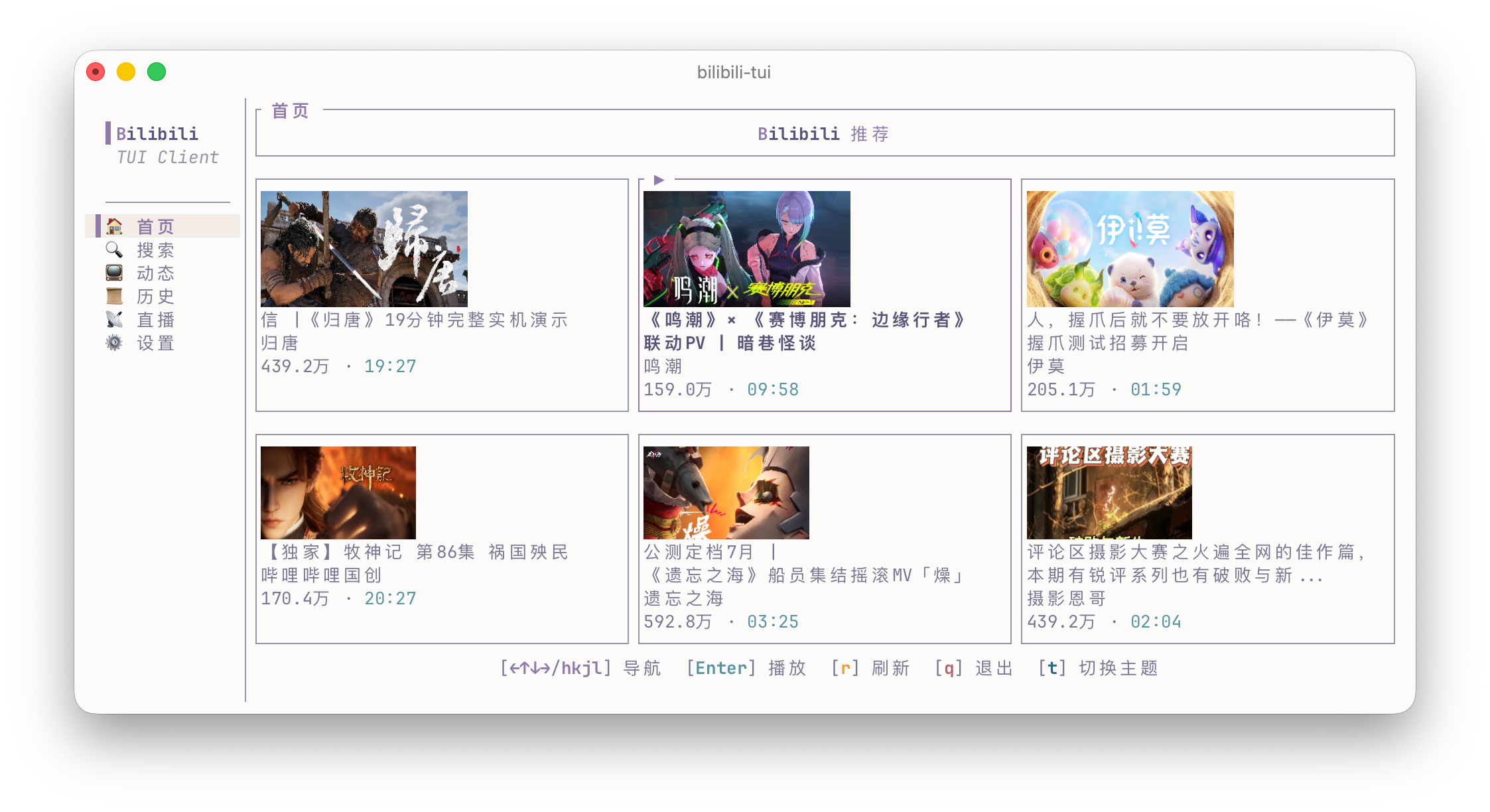
iTerm2 protocol (OSC 1337)
Send a base64-encoded PNG / JPEG / GIF inline. Simplest usage:
bash
imgcat ./icon.png # imgcat ships with iTerm2 utilities; also works in OttyOr manually:
bash
printf '\e]1337;File=inline=1:%s\a' "$(base64 < ./icon.png)"Supported parameters: inline, name, size, width, height, preserveAspectRatio.
Kitty graphics protocol
The richer of the two — supports placement at cursor, cell-based sizing, z-index, replacement, and deletion by ID.
bash
kitty +kitten icat ./preview.png # any Kitty-compatible viewerWhat Otty implements today:
| Feature | Status |
|---|---|
Transmission: direct (t=d) | ✓ |
Transmission: file (t=f / t=t) | ✓ |
| Transmission: chunked, zlib | ✓ |
Transmission: shared memory (t=s) | planned |
| Formats: RGB, RGBA, PNG | ✓ |
| Placement (cursor, cell size, z-index, placement ID) | ✓ |
| Management (delete by id / placement / all, replace) | ✓ |
Query / capability response (a=q) | ✓ |
| Unicode placeholders (U+10EEEE virtual placement) | ✓ |
| Animation (multi-frame, playback control) | planned |
| Relative placement (parent-child chains) | planned |
Sixel
The classic DEC bitmap protocol, used by lsix, chafa -f sixel, img2sixel, gnuplot (set terminal sixel), mpv -vo sixel, and many neofetch-style tools. Otty advertises Sixel in its Device Attributes response, so tools that auto-detect terminal graphics (like chafa with no explicit format) pick it up automatically.
bash
img2sixel ./photo.png       # ships with libsixel
chafa -f sixel ./photo.png  # chafa's sixel backend
lsix                        # thumbnail a directory of images
What Otty implements today:
| Feature | Status |
|---|---|
| RGB and HLS color definitions | ✓ |
Run-length encoding (!) | ✓ |
Raster attributes (" — aspect + size) | ✓ |
| Transparent background (untouched pixels) | ✓ |
| Capability negotiation (DA1, XTSMGRAPHICS) | ✓ |
| VT340 default 256-color palette | ✓ |
Images are placed at the cursor and the cursor advances below them, so sixel output scrolls into the scrollback like any other content.
Performance notes
- Images are uploaded once per ID and reused, even after
clear. - A small atlas caches recently-seen images; very large or rare images bypass.
printf-based images larger than ~5 MB encoded should use chunked or file mode.
See also
- Unicode and Text Styles
- Notifications — OSC 9 / OSC 777.