
Appearance
Cursor and Mouse
How Otty styles the text cursor and handles mouse / pointer input. Everything here is configured in the GUI — no config file needed.
Cursor style
Settings → Appearance → Cursor controls how the text caret looks.
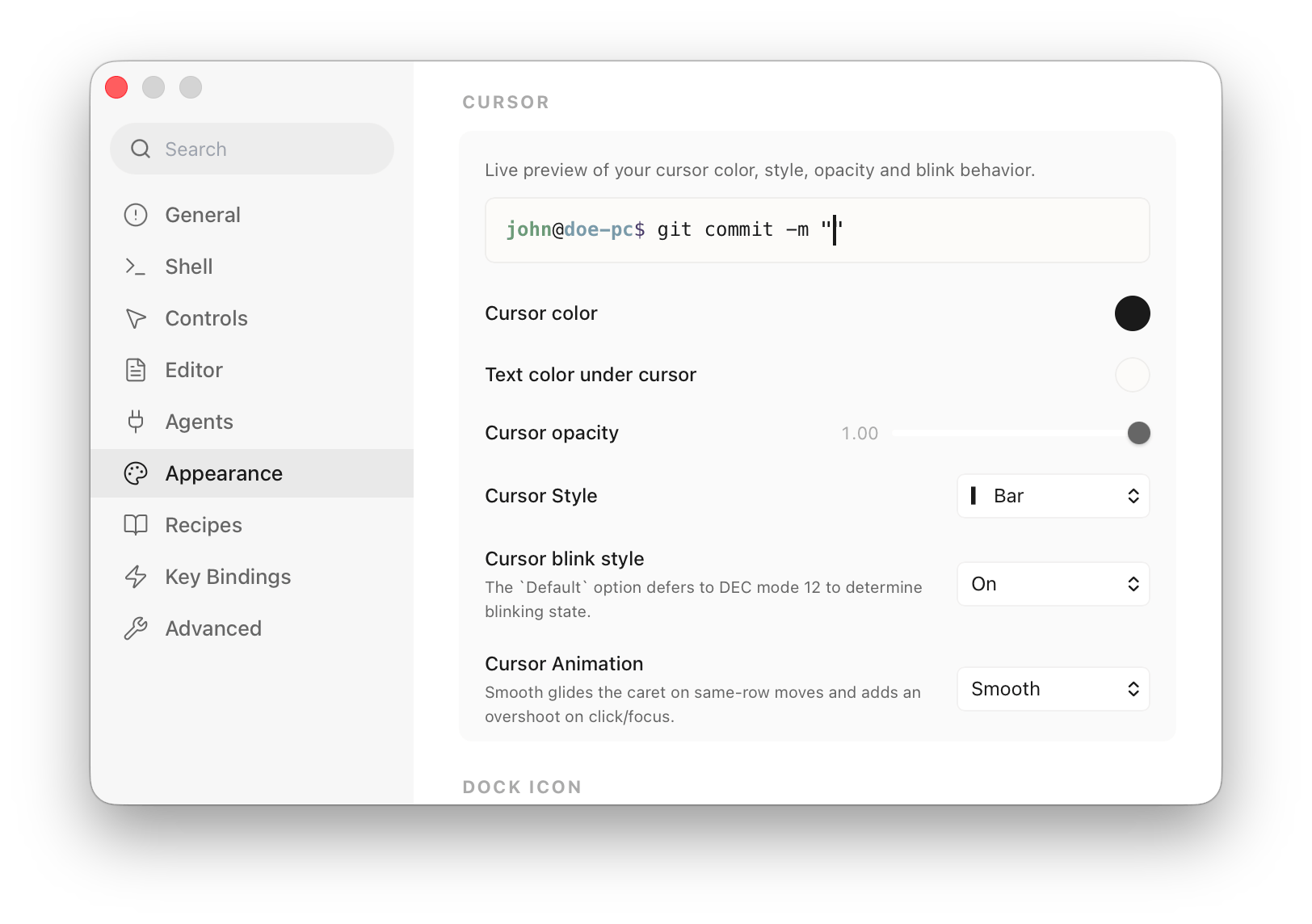
| Setting | Options | Notes |
|---|---|---|
| Cursor Style | Block · Block (hollow) · Bar · Underline | The shape drawn at the prompt. |
| Cursor Blink | Default off · Default on · Always off · Always on | The Default options set the starting blink but let a program change it; the Always options pin it and ignore programs. See below. |
| Cursor Animation | Off · Smooth | Smooth glides the caret on same-row moves and adds a small overshoot on click / focus. |
Programs can override the cursor at runtime — both its shape (DECSCUSR, CSI <n> SP q) and whether it blinks (DECSCUSR's blinking variants, or DEC private mode 12 CSI ? 12 h/l). A TUI that wants a blinking bar caret in insert mode (Vim, Neovim) gets it regardless of your default.
Cursor Blink decides who wins that tug-of-war:
- Default off / Default on — set the blink you see at a plain shell prompt, but defer to whatever a program asks for. This is what you usually want. Default off is the default.
- Always off / Always on — pin the cursor blink and ignore programs entirely. Choose this if a blinking caret bothers you (or you always want one) and you don't want apps overriding it.
The shape override (Block/Bar/Underline) always follows the running program; only blinking has the Always/Default policy.
Cursor color
The cursor body and the glyph under it are theme colors, set in Settings → Appearance → Theme: click the Cursor element to pick the body color, and Text color under cursor for the character it sits on. Leave either at Default to follow the foreground / background automatically.
Mouse
Mouse features can be configured in Settings → Controls → Mouse:
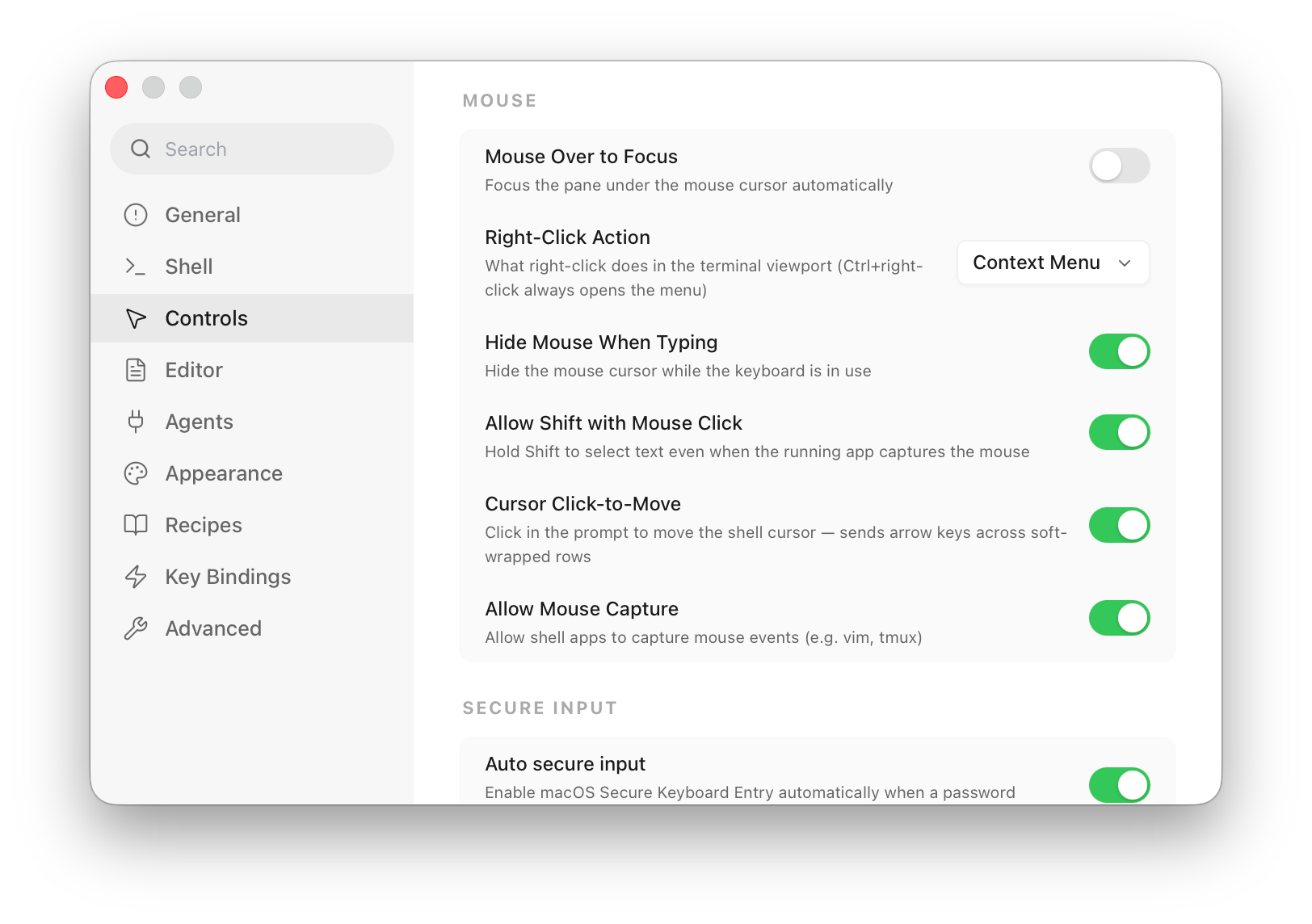
| Setting | What it does |
|---|---|
| Mouse Over to Focus | Focus the pane under the pointer automatically, without clicking. |
| Right-Click Action | What right-click does in the viewport — Context Menu · Copy · Paste · Copy or Paste · Ignore. ⌃+right-click always opens the menu. |
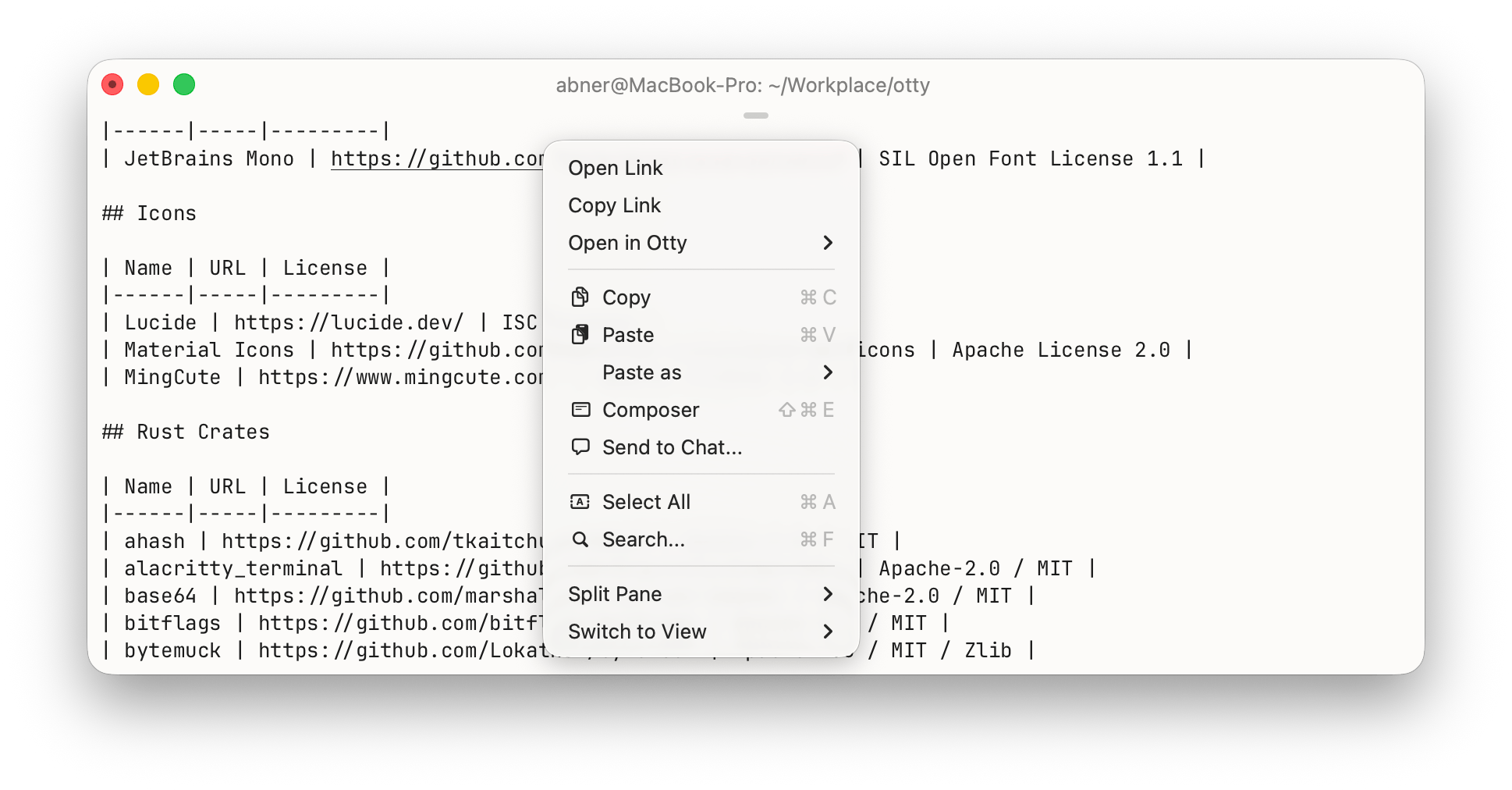 | |
| Hide Mouse When Typing | Hide the pointer while the keyboard is in use; it reappears on the next mouse move. |
| Cursor Click-to-Move | Click in the prompt to move the shell cursor there — Otty sends the right number of arrow keys, even across soft-wrapped rows. |
Mouse reporting
When Allow Mouse Capture (Settings → Advanced → All Settings) is on and a program turns on reporting — vim, htop, tmux — clicks, drags, and the wheel go to the program instead of Otty's selection.
Otty reports the event set a program asks for. Each tracking mode (enabled via DECSET) adds to the one before it:
| Mode | Adds | Events delivered |
|---|---|---|
Normal (?1000) | button tracking | Press and release of the left / middle / right buttons, plus the scroll wheel. |
Button-event (?1002) | drag tracking | The above, plus motion while a button is held (drag) — one report per cell the pointer crosses. |
Any-event (?1003) | motion tracking | The above, plus bare motion with no button pressed. |
Every report carries the live modifier state — ⇧ Shift, ⌥ Option (Meta), ⌃ Control. Coordinates are encoded in SGR form (?1006, CSI < b ; col ; row M/m), so columns and rows beyond 223 report correctly. Drag and motion are de-duplicated at cell boundaries, matching xterm / Ghostty.
Bypass mouse capture
To grab a native selection or open a link without leaving the program, hold the Bypass Mouse Reporting modifier (Settings → Controls → Mouse) while you click or drag — that one gesture is handled by Otty instead of being reported to the program.
| Setting | Options | Notes |
|---|---|---|
| Bypass Mouse Reporting | None · Shift · Ctrl · Alt · Ctrl+Shift · Super | Which modifier hands the pointer back for local selection or opening a link. Default ⇧ Shift; None turns the bypass off. |
On macOS a ⌘-click already bypasses mouse reporting to open a link, so you can follow links in a full-screen app without changing this setting.
Mouse cursor shape (OSC 22)
Full-screen TUIs (yazi, btop, mc, ranger) tell Otty what pointer to show over the pane via OSC 22 — pointer over clickable buttons, crosshair over selectable cells, no-entry over read-only regions. Otty maps the standard CSS cursor names to the closest native pointer. Programs reset the shape with \e]22;default\e\\ (or just exit).