
Appearance
Monitor Tasks
Agents run on their own clock — a task can take seconds or many minutes, and you'll often have several going at once. Otty keeps you informed without making you babysit a tab: it can badge the tab, send a notification, keep the Mac awake while work is in flight, and line up the next command to fire the moment the current one finishes.
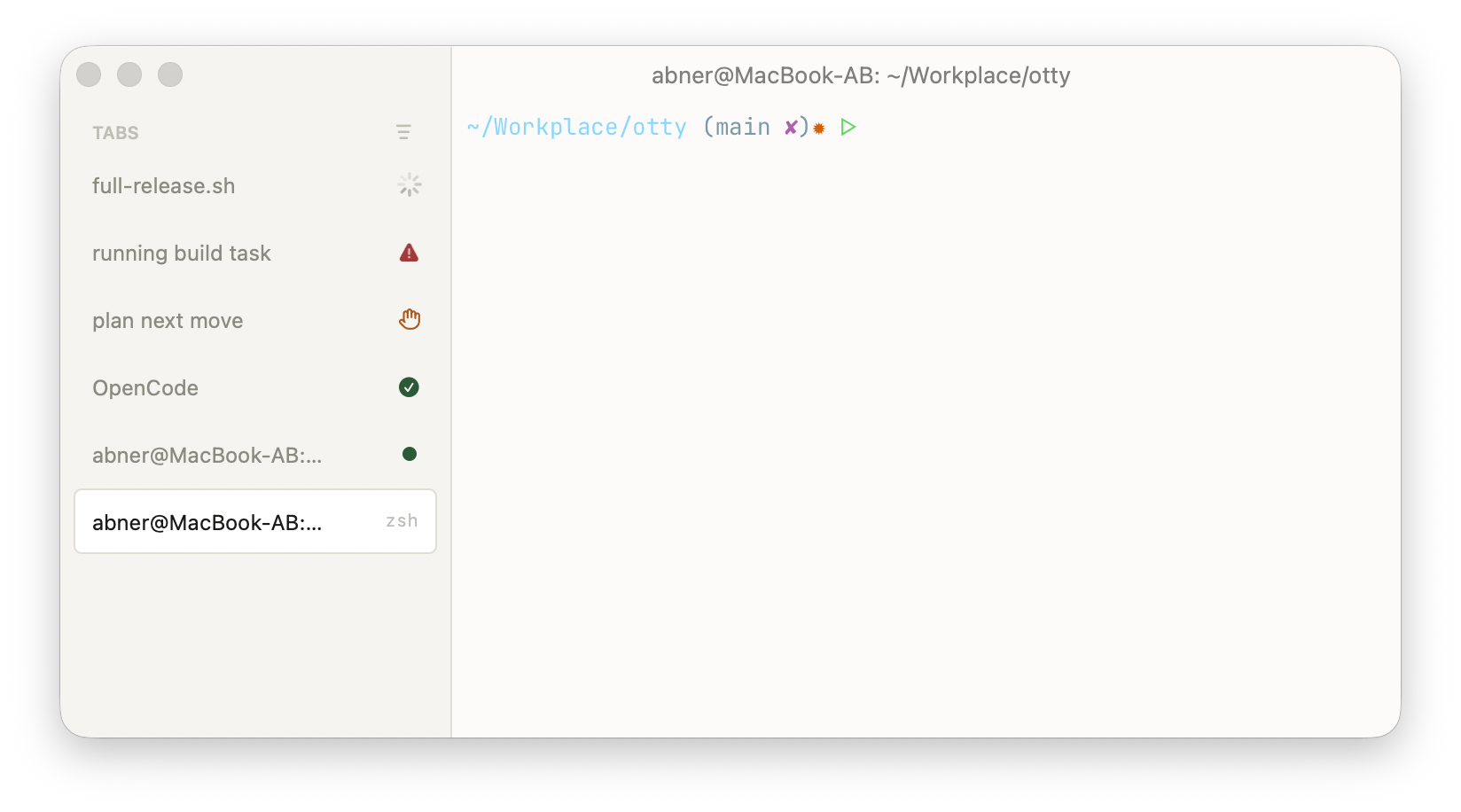
The toggles below live in each agent tab's Notifications & Privileges controls (the Workspace Command panel and the menu bar), and their global defaults are in Settings. They're per-tab, so a long background task can badge and notify while a tab you're actively watching stays quiet.
Tab Badge
A small badge on the tab tells you an agent's state at a glance, even when the tab is in the background.
- Badge While Processing — badge the tab the whole time the agent is working. Off by default (it can be noisy if you keep an agent tab in view).
- Badge When Task Completes — badge the tab when the agent finishes its turn, so a backgrounded task announces it's done.
- Badge When Awaiting Input — badge the tab when the agent is blocked on you (an approval or a question).
The badge clears automatically when you focus the tab; Clear Badge removes it manually.
Notification
When a tab isn't visible — or Otty isn't even frontmost — a system notification is the surest way to know a task wants attention.
- Notify When Task Completes — post a notification when the agent finishes a task. On by default.
- Notify When Awaiting Input — post a notification when the agent is waiting for an approval or input.
Notifications respect macOS Focus/Do-Not-Disturb and are delivered through the standard Notification Center, so clicking one brings you back to the right tab.
Keep macOS awake
Long agent runs can outlast your display- or system-sleep timer, which would pause the work. Turn on Prevent Sleep While Processing and Otty holds the Mac awake for as long as the agent is actively processing, then releases it the moment the agent goes idle — so you're not keeping the machine up any longer than needed. Off by default.
This is per-tab: only tabs with a processing agent (and the toggle on) hold the assertion.
Queue next command
You don't have to wait at the keyboard to run the next step. Queue one or more commands and Otty dispatches them automatically at the next idle shell prompt — each line fires in order once the previous command finishes and a fresh prompt appears. Dispatch is gated on shell integration (it only fires when the prompt is empty), so a queued command never clobbers something you're mid-typing.
This is how you chain a plan together — kick off a build, queue the tests and a commit behind it, and walk away.
See Prompt Queue for queueing from the composer, reordering, and editing pending entries.
See also
- Setup — get an agent configured first.
- History — past sessions outlive the dashboard.
- Progress State — the badges,
otty watch:<agent>, and the progress protocol behind them.