
Appearance
Working with Code Agents
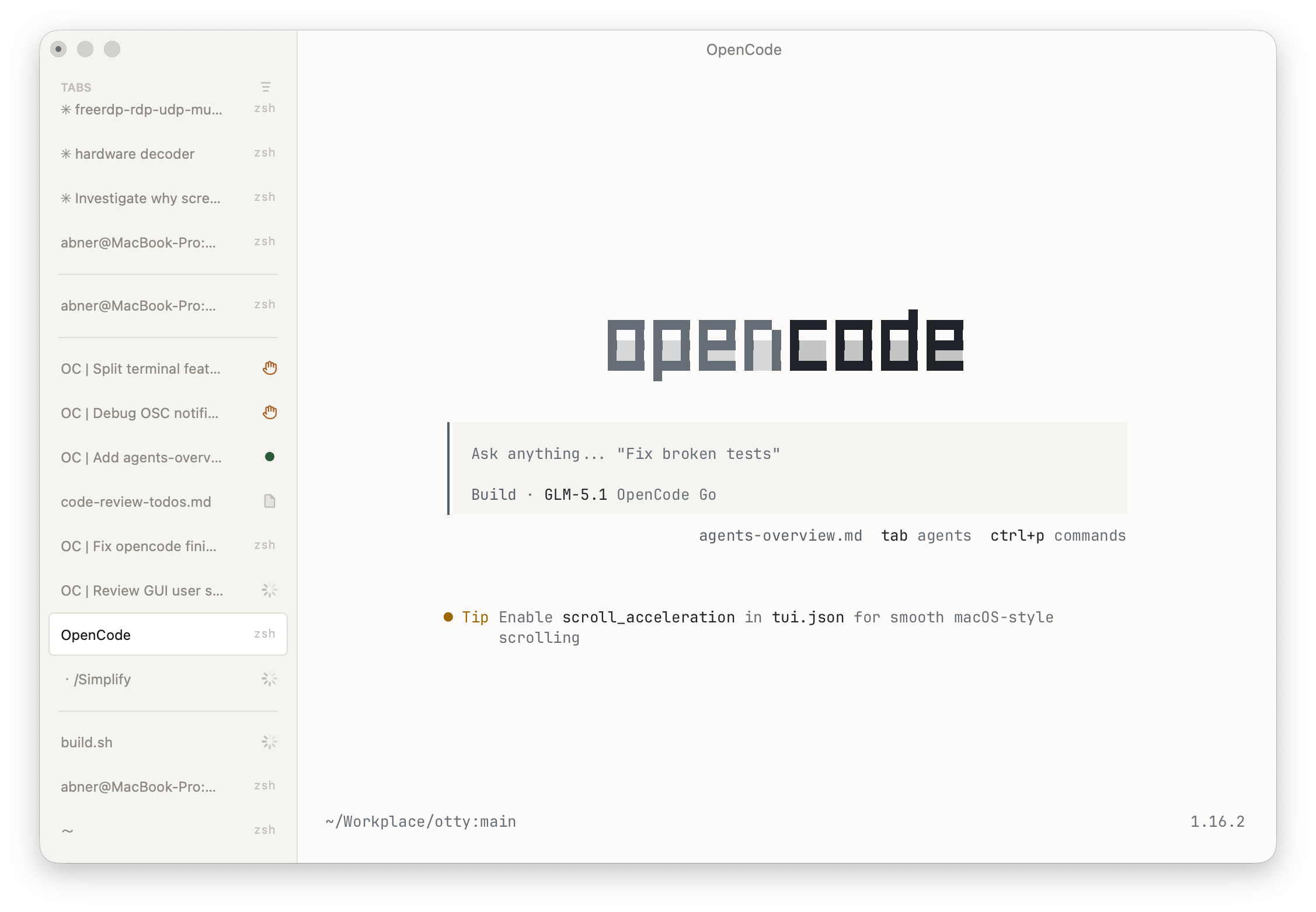
Otty is built for the way people code now — with an agent doing the typing. Run Claude Code, Codex, or OpenCode as first-class panes and let Otty handle the rest: it shows you what each agent is doing, pings you when one needs you, and gives you real input and editing tools instead of a bare prompt.
If you live in a coding agent, this is the terminal for you.
Why Otty for agents
See every agent at a glance. Otty's vertical tabs carry live badges, so a backgrounded agent tells you whether it's still working, done, or waiting on you — without switching to it. → Monitor Tasks
Get pinged, not stuck watching. System notifications fire when a task completes or an agent is waiting for your approval or input — and Otty can keep the Mac awake so a long run doesn't stall on sleep. → Monitor Tasks
A real input surface. The Composer gives you comfortable multi-line editing, undo/redo, image paste, and a float-on-top panel — write a proper prompt instead of fighting a single line. → Composer
Line up the next step. Queue commands while an agent is busy (⌘⇧M) and Otty dispatches each one at the next idle prompt — stack a plan and walk away.
Pull context straight in. Send to Chat drops a terminal selection, the last command's output, or a file-pane snippet into the conversation — no copy-paste shuffle.
Pick any thread back up. Every conversation is captured. Resume a session days later or search across all of them — your context outlives the tab.
Explore in parallel. Fork or branch a conversation to try a second approach in a split or a new tab, without losing the original thread.
Check the work without leaving. Otty's built-in file viewer and editor lets you open and read what the agent changed right beside the chat — no separate editor window.
Quick start
Otty works with the coding agents you already run — it doesn't replace your CLI, it plugs into it.
- Run your agent in an Otty terminal the way you always do —
claude,codex, oropencode. - Otty offers to install a small hook (Claude Code, Codex) or plugin (OpenCode) into that agent's own config. Approve it once — nothing else about your setup changes; the hook just lets the agent tell Otty when it starts working, finishes, or needs you.
- Restart the agent in that tab if prompted. From then on, tab badges, notifications, history, and fork all light up automatically.
See Setup for the per-agent details and how to manage or remove the integration.
See also
- Setup — providers, API keys, models.
- Composer · Prompt Queue · Send to Chat — getting input in.
- Monitor Tasks · History · Fork / Branch Session — staying on top of running and past work.