
Appearance
Fork / Branch Session
Split a conversation in two. Forking copies a session's history up to the current point into a fresh session, so you can explore an alternative without disturbing the original thread. Both the original and the copy stay live, so you can chase different directions in parallel.
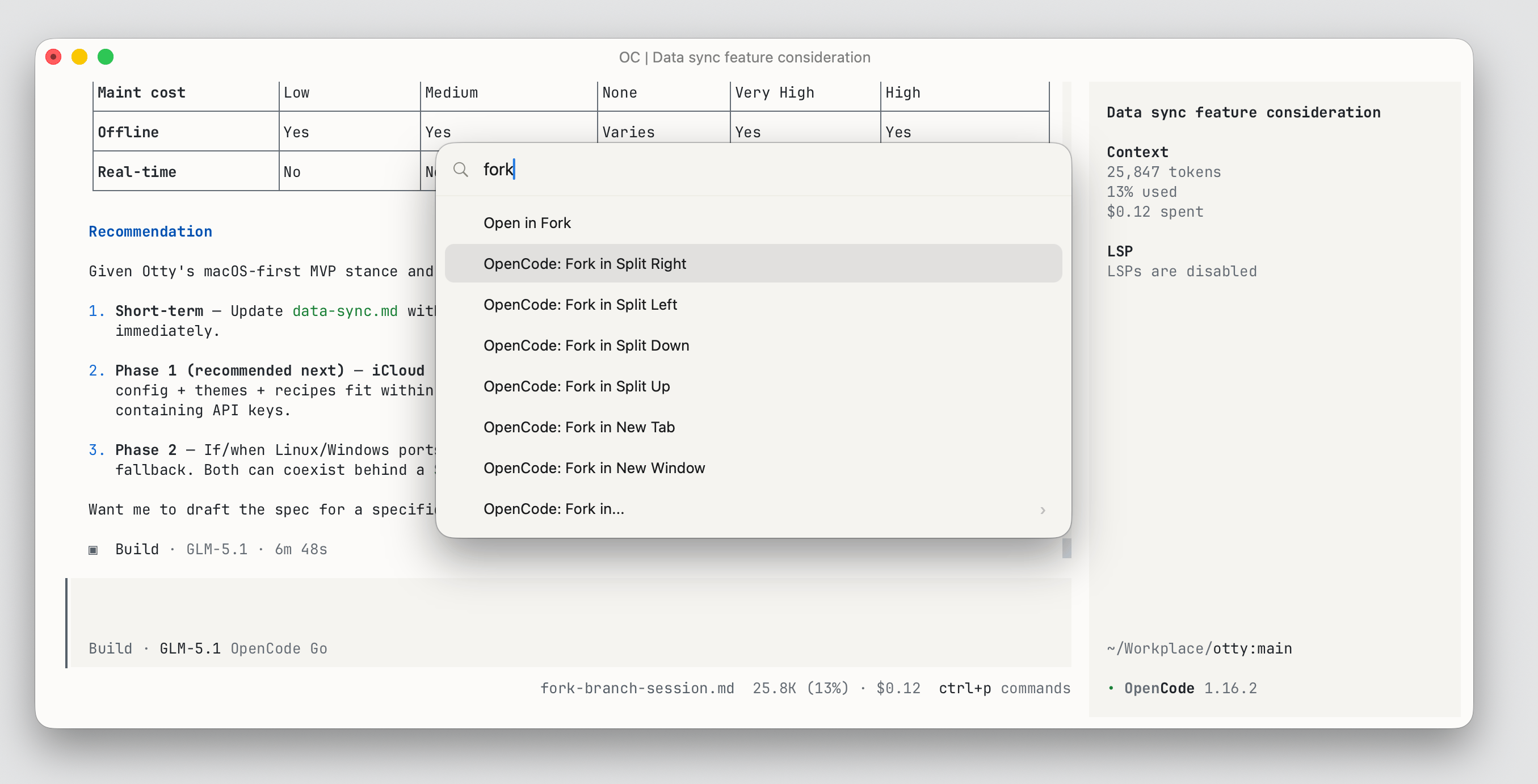
What is fork / branch
You can use this feature to fork the current conversation into a new thread. Branch the active session to explore a new approach without losing the current transcript.
How to fork a session
Forking is a GUI action Otty runs for you — you don't type a slash command. Otty labels it after each agent's own term: Branch for Claude Code, Fork for Codex and OpenCode.
- Install the agent integration first. Otty can only fork a session it can identify, which needs the hook/plugin from Setup. If it's missing, the fork action offers to install it on the spot.
- Focus a running agent pane, then trigger Branch in… / Fork in… from any of:
- the Details Panel Info tab (open it with
⌘⇧R), - the Command Palette, or
- Open Quickly → Agents filter — highlight a session and press
⌘K.
- the Details Panel Info tab (open it with
- Choose where the copy lands: Split Right / Left / Down / Up, a New Tab, or a New Window.
The copy resumes the original context — same provider, model, and system prompt — up to that point; only the future of the conversation diverges. Under the hood Otty runs the agent's native resume-and-fork command (for Claude Code, claude --resume <id> --fork-session), so the new pane is a real, independent session you can keep, resume, or fork again.
See also
- Setup — install the integration that lets Otty identify and fork a session.
- History — where forks are stored and resumed.
- Monitor Tasks — keep an eye on both threads running in parallel.