
Appearance
Privilege and Notifications
Desktop notifications, bell behaviour, focus / attention requests, and the security toggles that gate what a program in the terminal is allowed to do.
For visual task state — tab badges, the Dock spinner, and OSC 9;4 progress — see Progress State.
Desktop notifications (OSC 9 / OSC 777 / OSC 99)
A program can pop a system notification with one printf:
bash
printf '\e]9;Build finished\a'                       # OSC 9 — body only
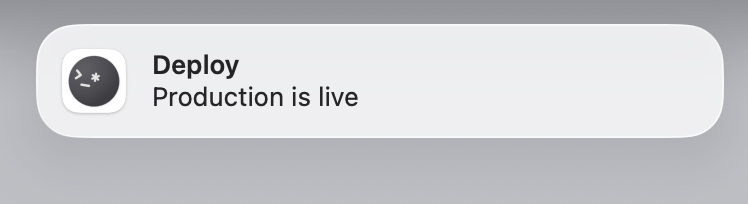
printf '\e]777;notify;Deploy;Production is live\a'   # OSC 777 — title + body
printf '\e]99;;Build finished\e\\'                   # OSC 99 — simplest (single chunk)
OSC 9 mirrors the iTerm2 convention (body string). OSC 777 (urxvt-style) adds a title. OSC 99 is the kitty notification protocol — richer structured payload (urgency, base64 encoding, chunked transmission, replace-by-id, capability query). Otty maps all three to a native macOS notification.
For maximum compatibility, programs typically emit OSC 99 first and fall back to OSC 9 / 777 on terminals that don't recognise it.
Whether shell programs may post notifications at all is gated by Notification — Shell Controlled (Settings → Shell, on by default). Turn it off to ignore notification OSCs.
Bell
BEL (0x07) — the byte that traditionally rang the terminal bell — plays the system alert sound (NSSound.beep()). It is gated by Sound — Shell Controlled (Settings → Shell, on by default); turn it off to silence the bell entirely.
Otty does not implement a visual (flash) bell — the bell is audio-only. A related toggle, Sound on Error Exit (Settings → Shell, off by default), beeps when a command exits with a non-zero status (requires shell integration).
Bounce Dock Icon
When a notification fires while Otty isn't the active app, Otty bounces the Dock icon (an NSApplication.requestUserAttention request) — handy for long-running build / deploy scripts:
bash
make deploy && printf '\e]9;Deploy ok\a'This is on by default — toggle it under Settings → Shell → Bounce Dock Icon.
Unlike Ghostty, where the Dock bounce is a bell-features component tied to BEL, Otty drives the bounce from the notification OSCs (9 / 777 / 99) rather than the bell.
By default macOS suppresses banners while Otty is already the foreground app. Notify While Foreground (Settings → Shell) overrides that: always shows banners even when Otty is frontmost, and tab-unfocused shows one only when the notification comes from a tab that isn't the active one.
System permission
Every banner is ultimately gated by macOS itself — a per-app permission that lives in System Settings → Notifications → Otty, not inside Otty. If it's off (or the banner style is set to None), none of the toggles below do anything. The System Permission row at the top of Settings → Shell → Notification shows Otty's current status (a green dot when allowed, amber/red when banners won't appear) and the Open System Settings button jumps straight to that pane. The status refreshes on its own when you switch back to Otty, so you can flip the permission and return to confirm the dot turned green.
Notification Options
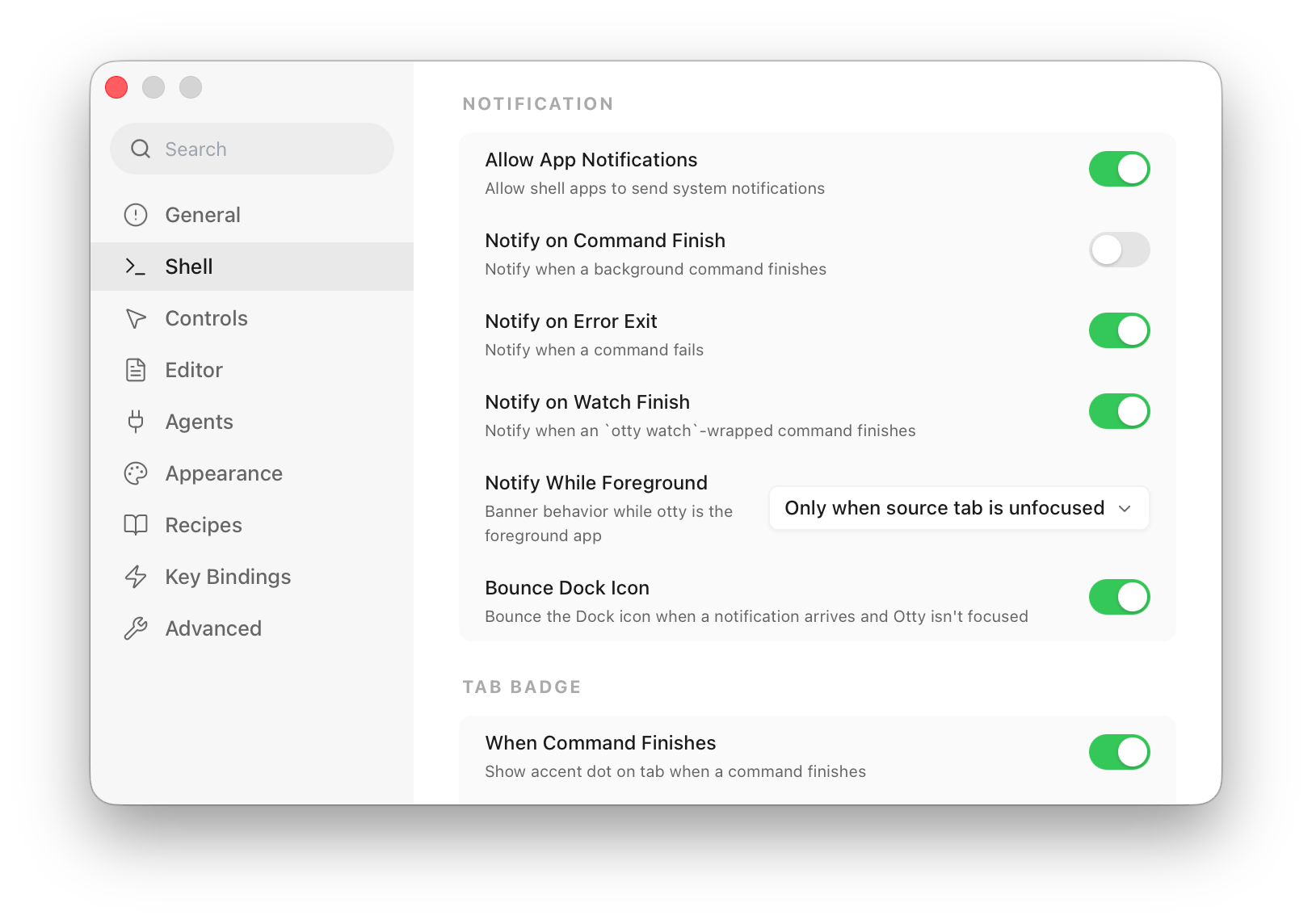
All of these live under Settings → Shell (the same toggles also appear in the Privileges menu and command palette). They are per-pane defaults — a new pane inherits them, and shell-integration-driven ones need shell integration on.
| Toggle | Default | Fires when |
|---|---|---|
| Notify on Finish | off | any command finishes (exit 0) |
| Notify on Error | on | a command exits non-zero |
| Notify on Watch Finish | on | an otty watch-wrapped command finishes |
| Notification — Shell Controlled | on | allow shell apps to post notifications (OSC 9 / 777 / 99) |
| Notify While Foreground | off | banner policy while Otty is frontmost (off / always / tab-unfocused) |
| Bounce Dock Icon | on | bounce the Dock when a notification arrives and Otty isn't active |
| Sound on Error Exit | off | beep on a non-zero exit |
| Sound — Shell Controlled | on | allow shell apps to ring the bell (BEL) |
Notification Sound
Banners are silent by default — macOS only plays a sound when the notification asks for one. Notification Sound (Settings → Shell → Notification) is a multi-select that opts specific categories into the default alert sound; leave it empty to keep every banner silent. The categories are independent of the Notify on … toggles above — those decide whether a banner appears, this decides whether it makes a sound:
- On Error Exit — a command exits non-zero.
- On Command Finish — a command (or
otty watch-wrapped command) finishes. - App Notifications — a shell app posts a notification (OSC 9 / 777 / 99).
This is separate from the terminal bell and Sound on Error Exit above, which play a beep directly rather than attaching a sound to a banner.
Code-agent notifications
Coding agents (Claude Code, Codex, OpenCode) report task state over IPC, so these fire without shell integration (Settings → Shell):
- Code Agent — Notify When Task Completes (on by default) — notification when the agent finishes a task and goes idle.
- Code Agent — Notify When Awaiting Input (on by default) — notification when the agent is waiting on your approval or input.
For the matching badges (and otty watch:claude to block a script until an agent is idle), see Progress State → Watching code-agent tasks.
Privilege Settings
Escape sequences are powerful — a program (or a hostile cat of a crafted file) can try to read your clipboard, query the window title, or change it. Otty gates the risky ones. These defaults are conservative; loosen them per your trust level.
Title (Settings → Advanced)
- Title Report (off by default) — let apps read the window title back via
OSC 21/ XTWINOPS. Off by default: a program that can both set and read the title can smuggle data out of a pane, so reporting stays disabled unless you opt in. - Title — Shell Controlled (on by default) — let apps change the tab / window title (
OSC 0/2).
Clipboard (Settings → Advanced)
- Clipboard — Shell Controlled (on by default) — master switch for
OSC 52clipboard access. - Clipboard Read (
askby default) —OSC 52read (a program pasting from your clipboard):ask/allow/deny. Defaultaskbecause clipboard read is the bigger exfiltration risk. - Clipboard Write (
allowby default) —OSC 52write (a program copying to your clipboard):ask/allow/deny.
Secure keyboard entry (Settings → Controls)
- Auto Secure Input (on by default) — automatically turn on macOS Secure Keyboard Entry when the active session is in canonical-no-echo mode (the classic
sudo/ssh/loginpassword-prompt signature), so other apps can't read your keystrokes. Disable to drive it only via Edit → Secure Input. - Secure Input Indicator (on by default) — show a title-bar pill while Secure Keyboard Entry is active.
IPC (Settings → Advanced)
- IPC Allow Send Keys (off by default) — let IPC clients inject keystrokes into sessions.
- IPC Allow Sensitive Sessions (off by default) — let IPC send-keys / capture reach SSH / sudo sessions.
See also
- Progress State — tab badges, the Dock spinner,
OSC 9;4progress,otty watch. - Shell Integration — the
OSC 133marks behind Notify on Finish/Error and the error beep. - Working with Agents — agent state, IPC, and the per-agent notification toggles.
- Copy and Paste — interactive paste protection (separate from
OSC 52). - Configuration Reference —
privilege-*,notification-*,title-report,clipboard-read/clipboard-write,auto-secure-input. - OSC 9 · OSC 777 · OSC 99 — the notification protocols in detail.