
Appearance
Prompt Queue
Line up several prompts while an agent is still working. Otty holds them in a queue and feeds the next one the moment the current turn finishes — no need to babysit the session.
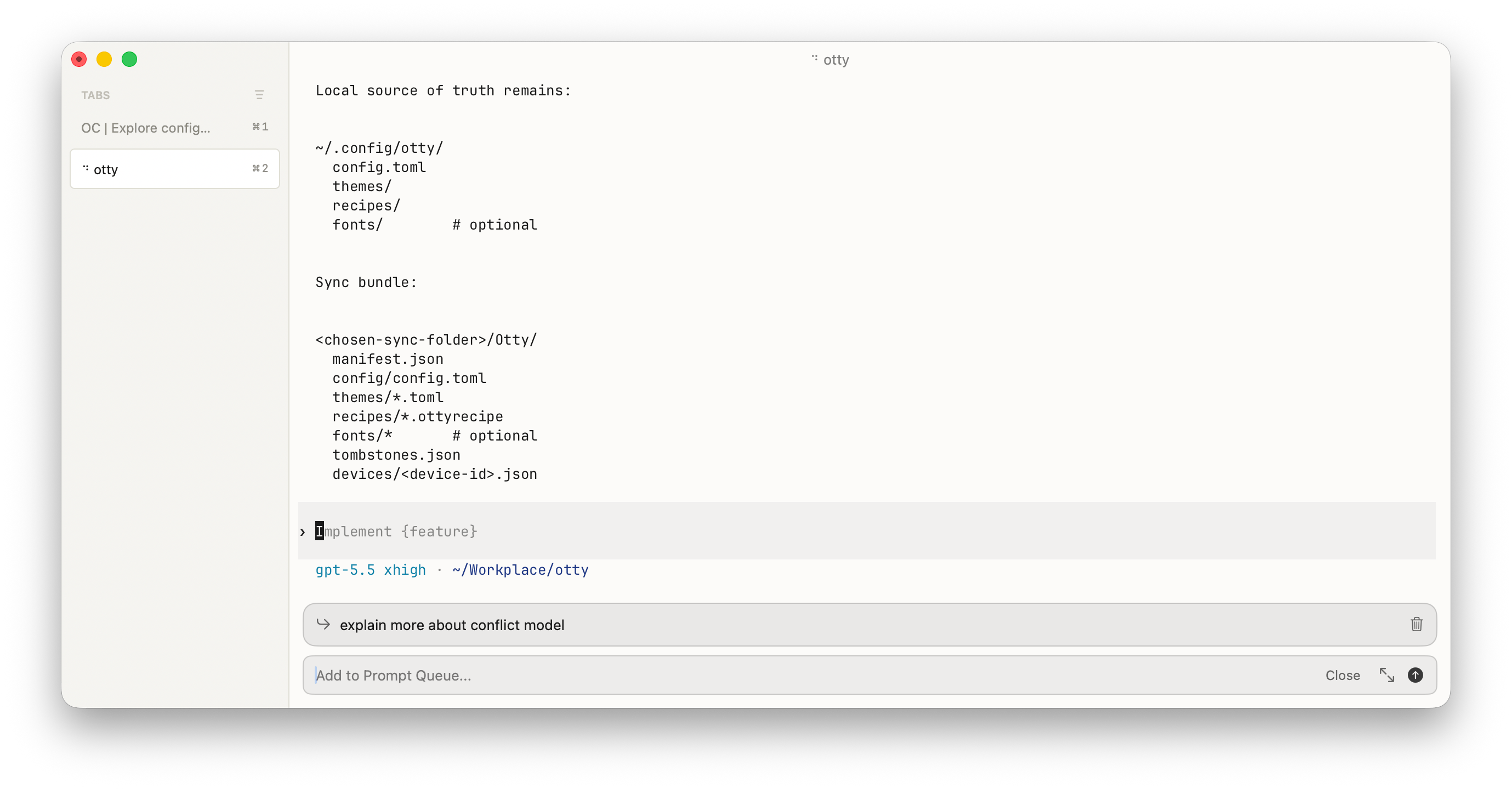
Queueing a prompt
Press ⌘⇧M to open the queue input bar at the bottom of the focused pane. Type a command and press ↩ to add it; repeat to stack as many as you like. Each one dispatches automatically at the next idle prompt — in order, as the previous command finishes.
You can also queue from the Composer: open it with ⌘⇧E, type your draft, and press ⌥⌘↩ to enqueue it instead of sending. Plain ⌘↩ sends and runs the draft immediately; ⌥⌘↩ always enqueues.
Managing the queue
The queue strip sits just above the composer when one or more prompts are pending:
| Action | How |
|---|---|
| Send now | Click the ↳ arrow on the left of a row — it fires that prompt immediately instead of waiting its turn |
| Edit | Click the ✎ pencil to edit the prompt in place; ↩ saves, ⌥↩ adds a line break, Esc cancels. Auto-dispatch pauses while you're editing |
| Remove | Click its 🗑 trash |
Use in normal terminal view
Shell has built-in ways to chain commands, like build.sh && release.sh.
But if you forgot to input all command chains at once, you can use this queue feature to append a new command after the previous command ends.
See also
- Composer — how prompts get typed in the first place.
- Monitor Tasks — when you want concurrency instead of a serial queue.